

Integrations · MCP
Connect your AI with Staff.al
Search jobs, apply and manage postings directly from Claude or ChatGPT — through our MCP server.
MCP Server URL
https://staff.al/api/mcpConnect in 4 steps
1
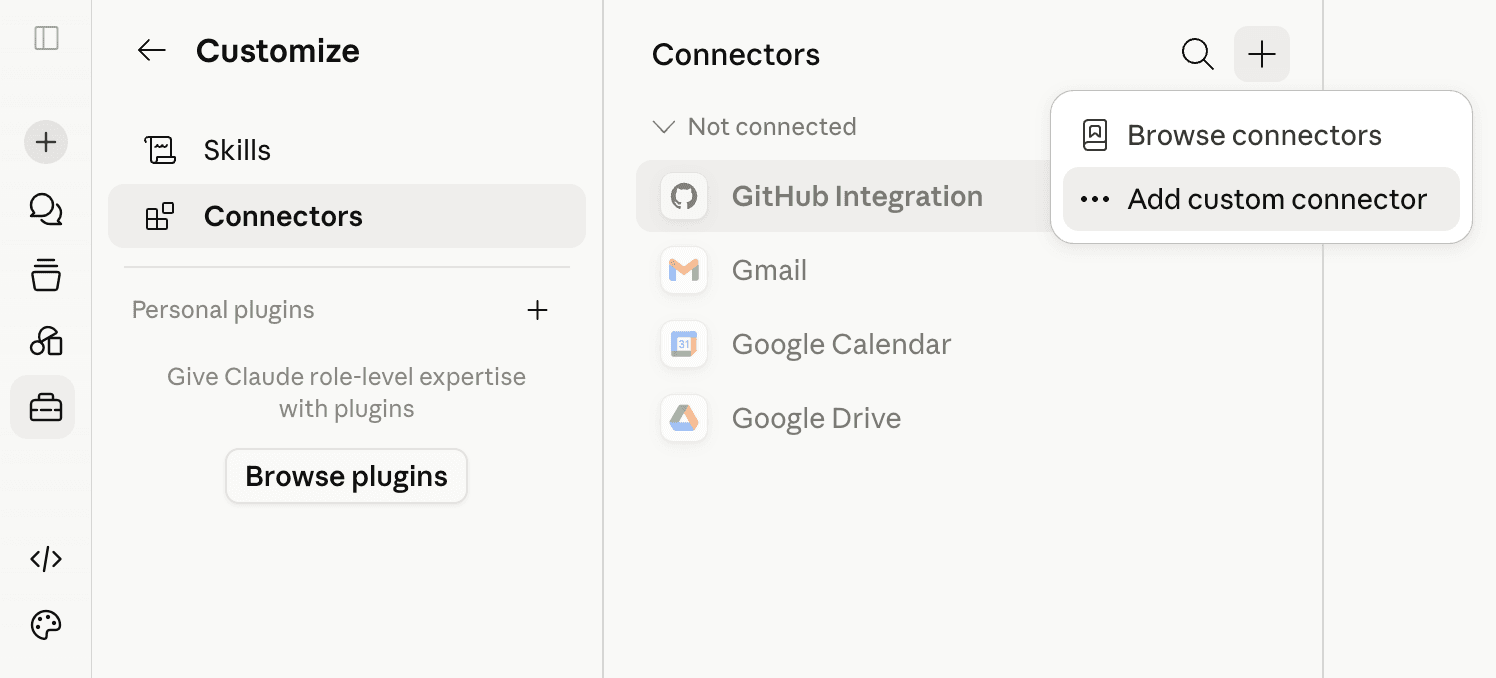
Open Connectors
In Claude go to Settings → Connectors and click “Add custom connector”.
2
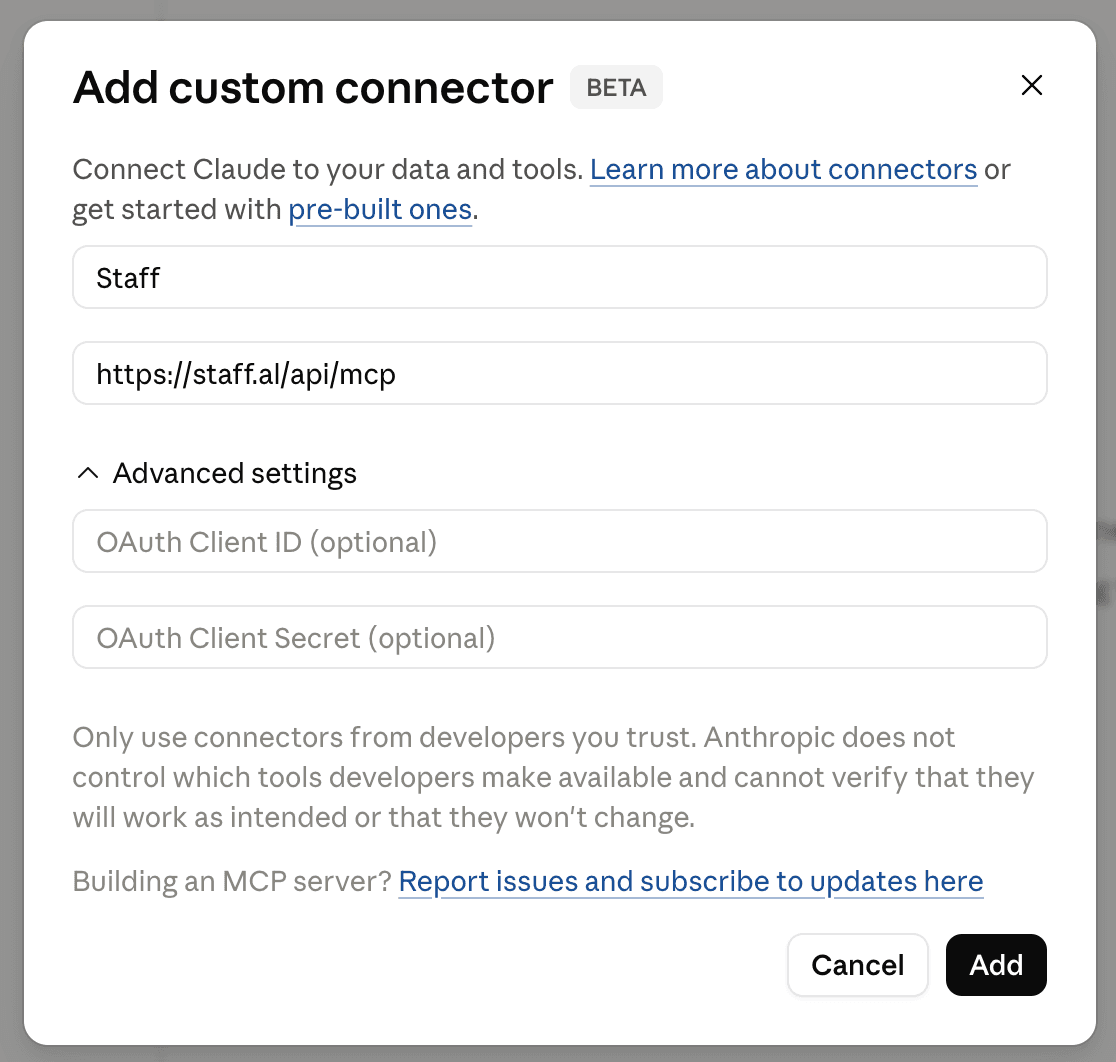
Enter the server URL
Set the name “Staff”, enter the MCP server URL and create.
3
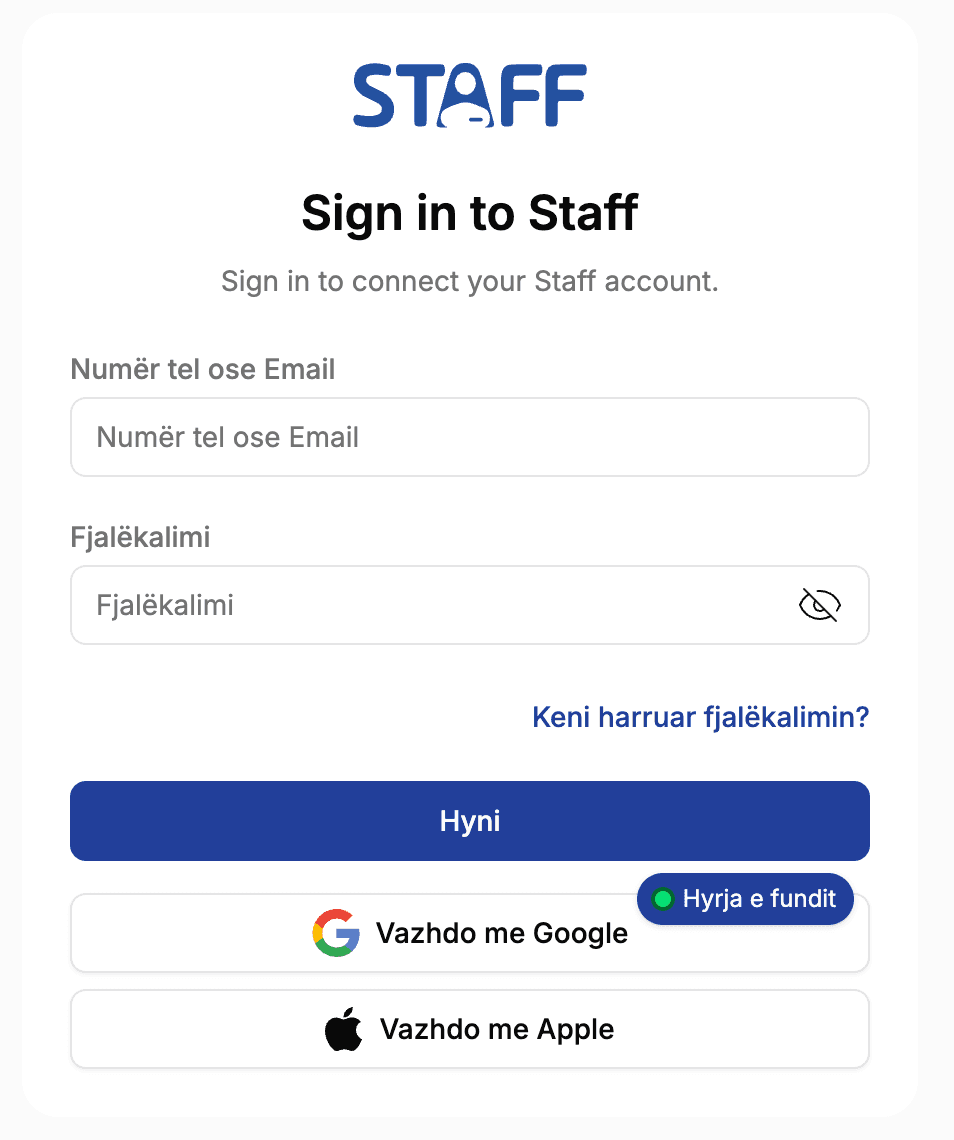
Sign in with Staff.al
A secure window opens. Sign in to your account and allow access.
4
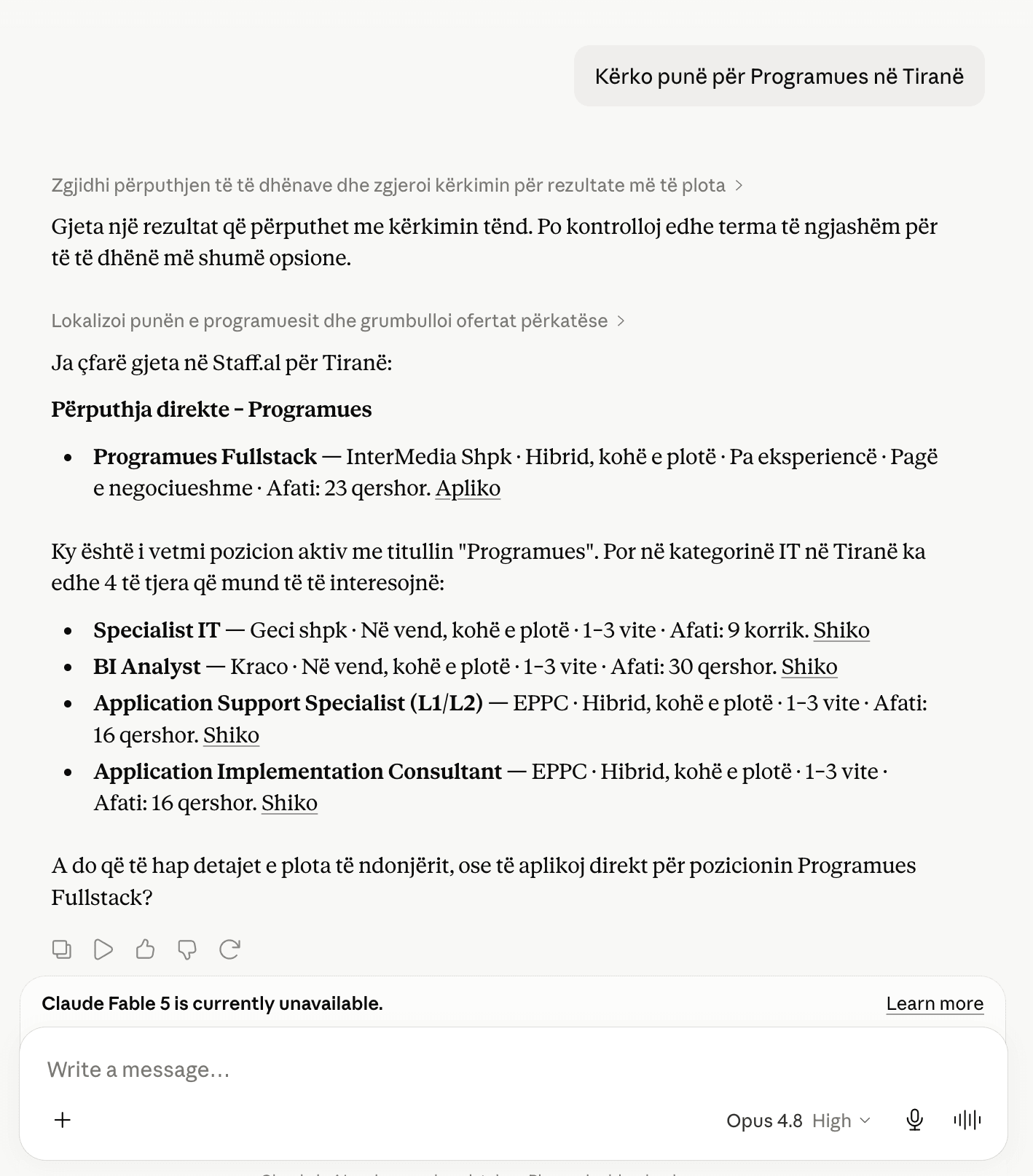
Start working
Ask the AI to search for jobs, apply or manage postings — right from the chat.
What the AI can do
12 tools, for both sides.
For candidates
Search jobs
search_jobsGet job details
get_job_detailsApply to job
apply_to_jobGet my profile
get_my_profileSearch projects
search_projectsProject details
get_project_detailsFor companies
Create job posting
create_job_postingUpdate posting
update_job_postingClose posting
close_job_postingPublish a project
publish_projectUpdate project
update_projectClose project
close_projectSecure with OAuth. The AI never sees your password and you can revoke access at any time from Settings.